Hello, there is an issue with Yahoo! Messenger version 5.0 on CrossTalk; when it tries to log in, nothing works. Additionally, this is a screenshot of the registry file, as this PC was reinstalled with an older operating system, Windows 98 Second Edition.
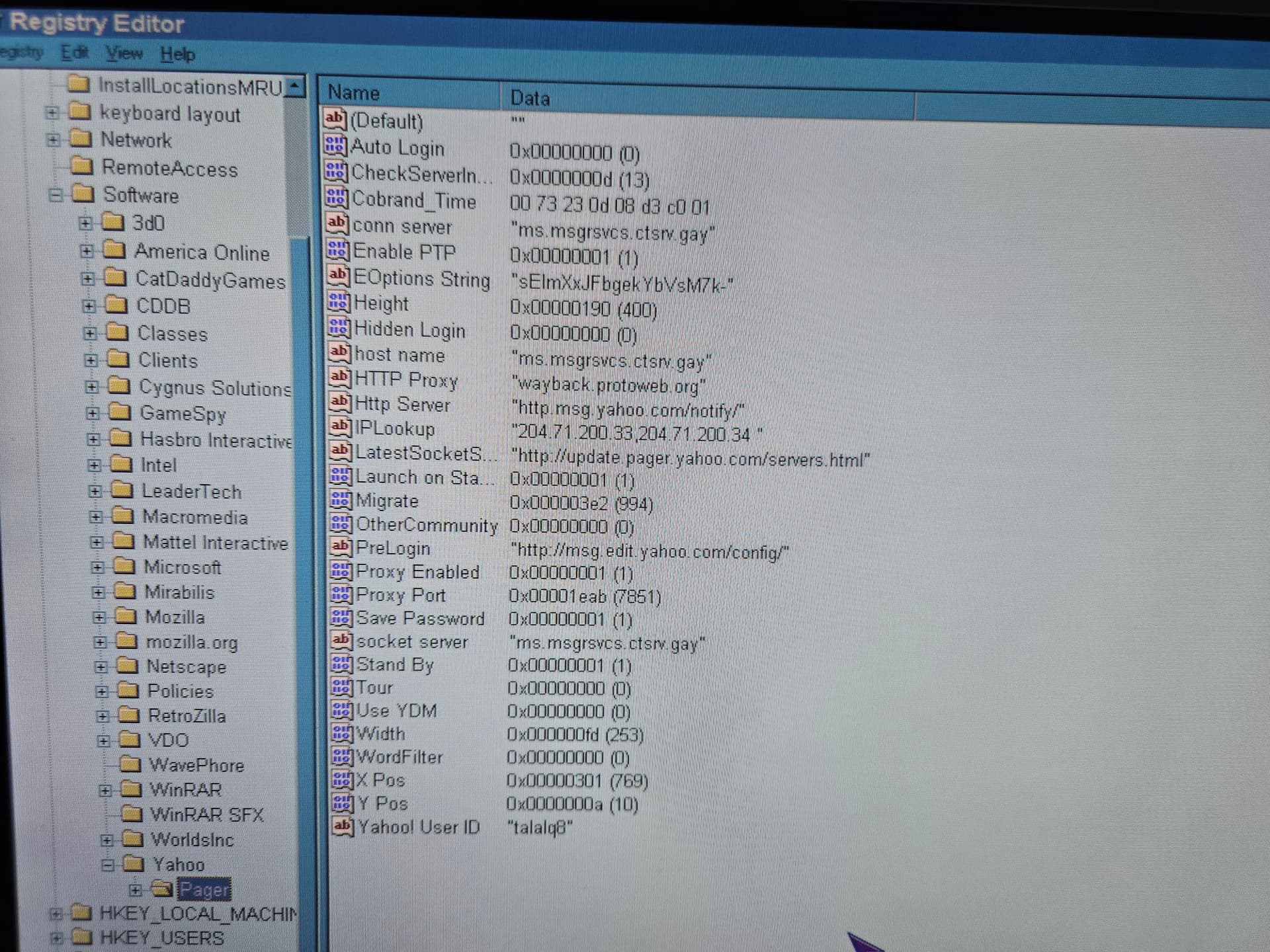
For more details, the conn server string was added, as the installer did not provide it when the messenger was installed.
Try changing IPLookup to just 31.97.100.150.
Hello, unfortunately, it is still looping on the login screen; both the username and the ten-digit password were entered. Should the password be changed to exactly eight digits?
does it work before on older clients? or new install
Hello, what do you mean?
does it work when you first like, install an older version of it, then suddenly after a new version it broke?
No, this is a clean install of the operating system; there are no upgrades or anything related involved.
so, like a first time?
Yes.
I’d rather you not interject while I’m trying to give support unless it’s helpful and you know 100% what you’re talking about.
It shouldn’t but it doesn’t hurt try. Also, you may want to try disabling your HTTP proxy. You’re using ProtoWeb judging by your registry settings and I’m not sure that they have Yahoo! Messenger routes configured for CrossTalk.
I see; once Yahoo! Messenger 5 was installed, the HTTP proxy for Protoweb in the registry was suddenly modified. Is there a way to change it to something else besides Protoweb while it is disabled in Internet Options?
(post deleted by author)
Hello, the problem is now fixed by disabling the proxy in the Preferences, thank you for your assistance.