hey nerds! i’ve been using linux for a long time and i’ve never really tried to use WINE all that much. i’ve come to learn it is now my worst enemy. i’ve gotten some WLM 2009 MSIs from crosstalk.im and i’m trying to install them using wine but i’ve failed. quite a lot. i’ve tried also all the guides on here and the internet and they don’t work. they’re all outdated to shit though, talking wine 5 vs wine 11. i’m on artix linux (fuck systemd) with wine 11 if that helps. if it’s impossible to use WLM 2009, well can i use an older version of WLM? and if not, i can just suck it up and use a wndows 7 virtual machine like i used to. if y’all want more exact details, i’m happy to provide. they’re just really messy atm so it’s kinda difficult to piece together on what to share at this exact moment.
WLM 2009 is indeed incompatible with Wine.
I’d recommend following this guide for getting 8.5 or older working: Running MSN/Windows Live Messenger using Wine
thanks! i’ll try and give that a shot.
it did not work :[
here’s some logs if that helps. (sorry, it’s gonna have to be a pastebin. i reached the max character limit without it lol)
i’m going to try out wine 10.4 as the man says in the guide and try MLM 8.5 if wine 10.4 doesn’t work. i suspect it’s because wine is slowly dropping out 32 bit support which may break things. i’m not 100% sure on the validity of this tho, because it works just fine on my W7x64 virtual machine.
OH MY GOD! i got WLM 8.5 working! i did the following
satan-os% rm -rf ~/.wine # to remove the old prefix.
satan-os% winetricks corefonts gdiplus msls31 riched20 riched30 tahoma
satan-os% winecfg # set to windowx XP, the minimum version that WLM 8.5 supports.
satan-os% wine '/home/ash/.wine/drive_c/Program Files (x86)/Windows Live/Messenger/msnmsgr.exe' # BAM! it works!
this was on wine 11 with “New WoW64” (view 3.3) mode so i’m ~85% sure it’s no longer a 32bit problem.
(EDIT, i also had to run winecfg to use windows 2000 after install and it doesn’t crash after log in. it now shows a error which i think crosstalk shows how to fix)
okay, more updates. i tried to install the 2009 after 8.5. this appears to be more progress(?). when i was on 8.5 and tried to sign in i got an error, so i tried to install legacy update. nothing! no biggie, i just went straight to installing 2009. i mean, it’s showing something! before, it wouldn’t show anything and nothing would appear in my system tray. how do you fix error 80070002? crosstalk said refer to the FAQ but there’s nothing there. i’m gonna try using winecfg to change my version to windows 10 but i doubt it’ll fix anything.
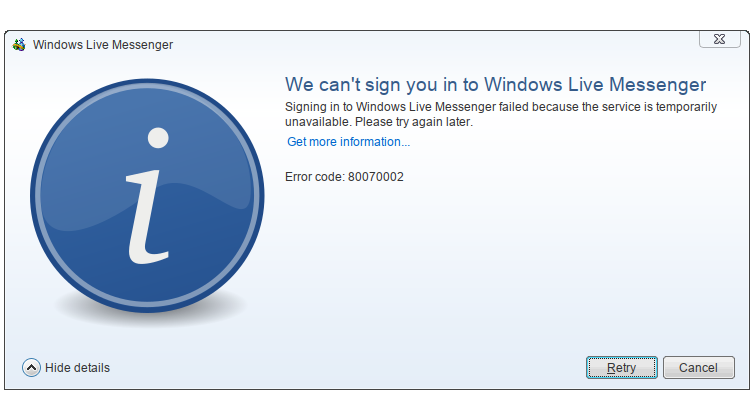
i’ve read through a couple posts and they just said to reinstall. instead of installing 8.5 and then 2009, i just went straight to 2009. i did the basics, remove my old prefix, install deps, change version to XP, and then install 2009. it installed just fine but it refuses to show a window, but shows in the system tray just fine. (btw, i use KDE Plasma)
here’s some more logs (pasetbinned, again)
Unfortunately, I don’t see how you’ll get 2009 to work in Wine. Messenger 2009 uses an internal UI framework called DirectUI, and to the best of my knowledge, DUI has never been documented externally and hasn’t been reversed engineered at all.
well shit, thanks for the heads up! do you at least know how to fix the error i got using MSN 8.5?
(EDIT, the error isn’t 80070005, it’s now 80070002.)
awesome sauce! anyone stumbling upon this thread, please read! you cannot run WLM 2009+ on linux via wine. your best bet is going to be WLM 8.5.
YOU MUST: downgrade wine.
wine 9.21
wine-mono 9.3.0
wine-gecko 2.47.4
use these packages. and make sure you use a 32bit wine prefix!
then, follow this man’s words. Running MSN/Windows Live Messenger using Wine
(also, quality of life thing, use winecfg to disable the window manager stuff. winecfg, open the graphics tab, and disable “allow the window manager to control the window” and also “allow the window manager to decorate the window”)