Hello, just letting you guys know this is my first time making a post on here so im sorry in advance if i do something wrong or something.
I have been trying to install Windows Live Messenger 2009 with the Escargot patches/servers for a bit now on Windows 11 25H2. But I always get an error about critical components failing to install which makes me abort the install, so i extracted the .exe installer as a folder to see if there was separate installers (there was) so I run the Contacts.msi and it says a newer version is installed. I have also tried the unpatched installer and it just fails to install practically everything, help? (note: the patched installer also fails on Contacts.msi when running normal .exe, also if it looks like windows 7 im using a windows 11 skin)
the normal exe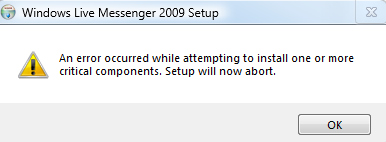
edit: i tried doing the windows essentials 2012 trick but even that says theres a newer version of contacts