Hi,
I keep trying to log into Windows Live Messenger 2009 using the Pre-Patched Escargot file from their website. It still spits out error code 8004882a (and sometimes 80072ee7) every time I log in with my proper credentials.
Here’s some of what I have tried so far:
Withering my password down to 8 characters
changing internet options to include old TLS (1.0, 1.1, 1.2)
Letting the program through my firewall
Changed my DNS options to Google’s server
Changed the server key to another option
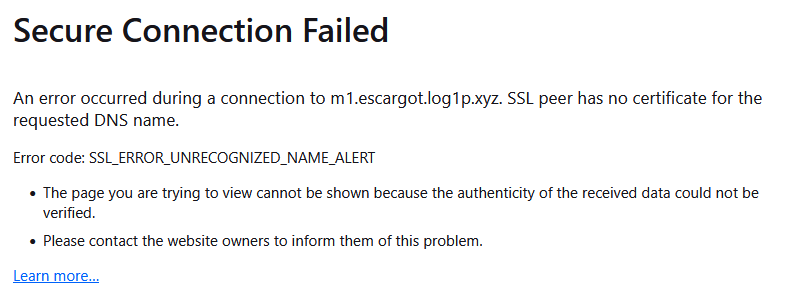
When I try to go to https://m1.escargot.log1p.xyz/, I get this:
Maybe this is the issue? What should I do to fix this problem?
Addon:
A single day after installing the program, I tried logging in during the morning and it almost seemed to work, until error code 80072ee7 popped up. It went through some login messages for a few seconds before failing. That was the only time it happened, which tells me that the connection isn’t entirely broken.
Caleb
escargot hasn’t used the escargot.log1p.xyz URL for years
I entered msnmsgr.escargot.chat into the URL bar instead, and it returned 405, which means my computer is able to access the service. I just need to figure out what’s stopping the connection
I’m guessing you haven’t ever updated your WLM’s installation msnmsgr.exe-escargot.ini?
log1p is not even deprecated or obsolete, it’s straight up removed at this point
Anyway, should you want to continue to use escargot:
[options]
type=msn
server=msnmsgr.escargot.chat
configserver=conf.escargot.chat
Oh for HRESULTS you were getting PPCRL_REQUEST_E_PARTNER_NOT_FOUND and ERROR_INTERNET_NAME_NOT_RESOLVED respectively. Not sure how you were getting that first one unless you managed to somehow unpatch your client, but yeah.
I tried looking for msnmsgr.exe-escargot.ini and searching for it, but it seems like it’s not there. I’m not sure why this is as I downloaded the installer directly from Escargot’s website. I might need to just manually make it or nick it from someone else. Or just reinstall and hope for the best.
As for the unpatching, I don’t know how that happened either. I’ve run the “RUN_AFTER_INSTALL” file multiple times at this point.
uninstall it and reinstall might work else you need to get 8.5 and get the ACTUAL patcher from here escargot.chat/patcher
So interesting thing, I have Windows Essentials 2012 on my computer. I had to uninstall it both times when installing WLM 2009, and the second time just now, logging in worked; Very nice. However, once I reinstalled WLE 2012, it “updated” WLM 2009 and logging in stopped working. Is there a way to install WLE without breaking or updating WLM? I only use WLE for Movie Maker.
I’m guessing reinstalling the 2012 suite was what unpatched the program. It is in the “these programs will be updated” section of the installer.
you could install live essentials 2009 instead
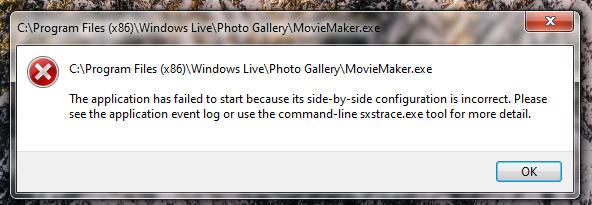
The good news, I installed it and Messenger still works. The bad news, this pops up every time I try to open Movie Maker