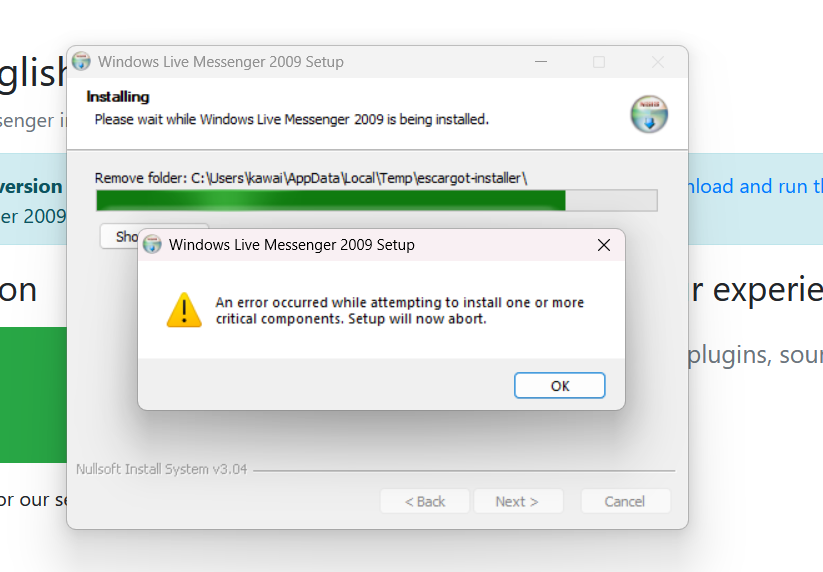
i dont even have windows live essentials installed so i dont know why i cant download wlm 2009 specifically
Do you have Movie Maker/Photo Gallery, Windows Live Mail, etc installed? If you have ANY programs that are a part of Windows Live Essentials (and not just the entire suite, any of them), they must all be uninstalled first.
OHHH i have windows movie maker, i’ll delete it i guess 
ok i deleted everything that was part of windows live essentials but i still can’t download it
did you use an uninstaller? if you hard deleted the files it can cause a lot of problems
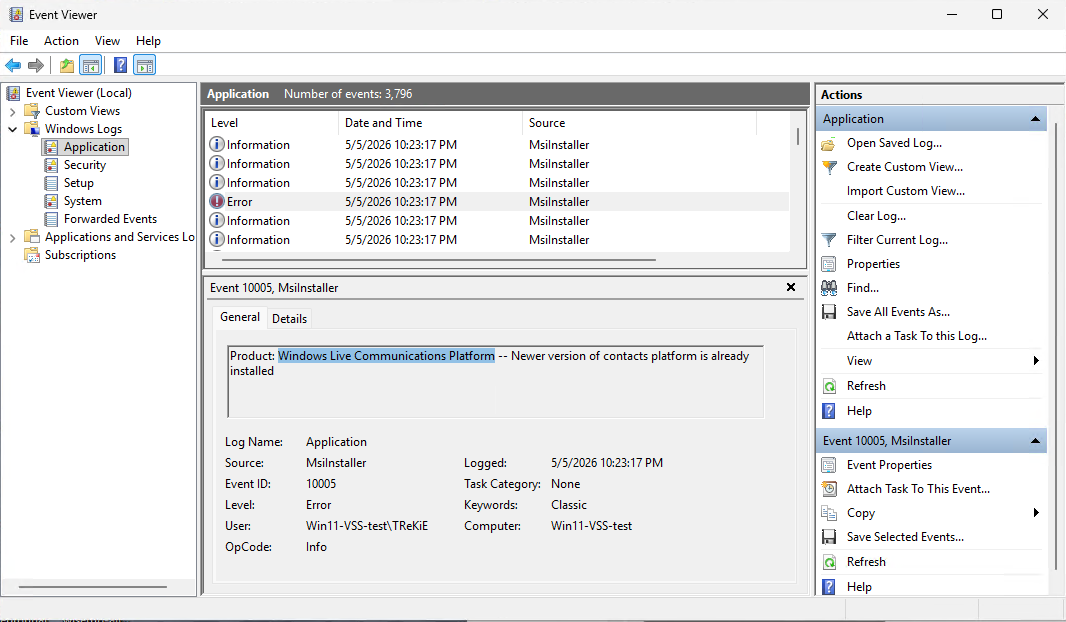
If you open up the Event Viewer, Application log, and look through the entries until you find an error with MsiInstaller as the Source, it should say what’s failing to install.
To do that, right-click the Start button, then choose Event Viewer. When the Event Viewer window opens, click the Application log under the Windows Logs. (It’s normal that the Event Viewer is always slow to open and use.)
For an example of this, it’s not uncommon to have a newer version of the Windows Live Communications Platform installed, and like barrett suggested above, if you used another tool to uninstall, other than the real (un)installer, these components will still be there.
As long as nothing else is broken, you can uninstall any product easily with a bit of PowerShell:
$productName='Windows Live Communications Platform'; Start-Process msiexec.exe -ArgumentList "/x $((Get-ItemProperty 'HKLM:\SOFTWARE\Microsoft\Windows\CurrentVersion\Uninstall\*','HKLM:\SOFTWARE\WOW6432Node\Microsoft\Windows\CurrentVersion\Uninstall\*' | Where-Object { $_.DisplayName -eq $productName -and $_.WindowsInstaller -eq 1 } | Select-Object -First 1).PSChildName) /qr /norestart" -Wait
To use, copy the whole line to the clipboard, then open up an elevated (admin) Windows Terminal by right-clicking the Start button, choosing Terminal (Admin), then paste (Ctrl-V or right-click somewhere in the terminal), and then press Enter to execute. (If you don’t have the Windows Terminal installed it will show up as Windows PowerShell (Admin) in the Start button list.)
You can edit the $productName string if the Product name is something else you need to uninstall.
After the uninstall is done, you can try the Escargot installer again.
it worked, thank you so much