They announced this a few months ago - for Windows and Mac.
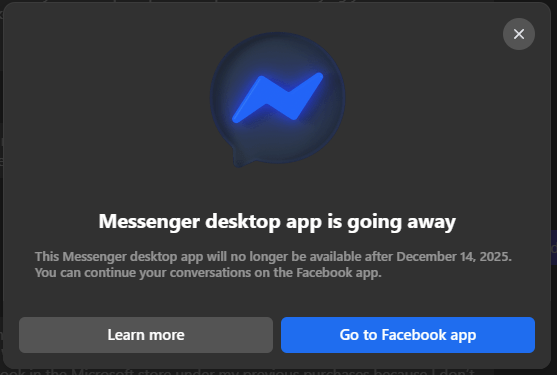
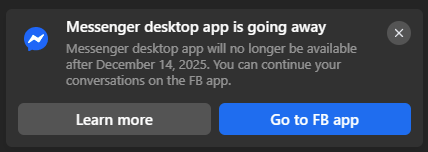
For Windows, the page says, “The Messenger app for Windows is being deprecated. After deprecation, you won’t be able to log into the app and will be automatically redirected to use the Facebook desktop app for messaging. You can continue all your conversations directly from the Facebook desktop app, with all the same features you had on the Messenger app, like desktop calling.” For Mac, it’s similar, but they say to use the website instead.
I find all of this confusing. I don’t have a modern Mac to check there, but on Windows, the application was turned into a progressive web application sometime in 2024, and it lost most of its features then, including being able to run in the background. The latest (last) version opens messenger.com via Edge in a separate window. That’s it.
Within the AppxManifest.xml for the application:
<uap3:Extension Category="windows.appExtension">
<uap3:AppExtension Name="com.ms.webapp.internals.4" Id="FACEBOOK.317180B0BB486" PublicFolder="Public" DisplayName="Edge External WebApp Internals" Description="parameters?--app-id=bbdeiblfgdokhlblpgeaokenkfknecgl --ip-edge-aumid=Microsoft.MicrosoftEdge.Stable_8wekyb3d8bbwe!MSEDGE --app-fallback-url=https://www.messenger.com/?ref=homescreenpwa&__pwa=1 --display-mode=standalone --windows-store-app;profile-directory?Default;start-url?https://www.messenger.com/?ref=homescreenpwa&__pwa=1" />
</uap3:Extension>
The whole app in total is 335KiB. Most of which are icons at various sizes, and a background task that refreshes the web page application if you leave it minimized.
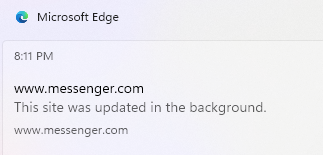
And the messenger.com site apparently isn’t going anywhere either as the page further says, “If you currently use Messenger without a Facebook account, you will be redirected to Messenger.com, where you can still log in without creating a Facebook account.”
The Facebook application on the Microsoft Store they want you to switch to is also an Edge progressive web application.
<uap3:Extension Category="windows.appExtension">
   <uap3:AppExtension Name="com.ms.webapp.internals.4" Id="FACEBOOK.FACEBOOK" PublicFolder="Public" DisplayName="Edge External WebApp Internals" Description="parameters?--app-id=kippjfofjhjlffjecoapiogbkgbpmgej --ip-edge-aumid=Microsoft.MicrosoftEdge.Stable_8wekyb3d8bbwe!MSEDGE --app-fallback-url=https://www.facebook.com/?ref=homescreenpwa --display-mode=minimal-ui --windows-store-app;profile-directory?Default;start-url?https://www.facebook.com/?ref=homescreenpwa" />
</uap3:Extension>
This one is 888 KiB, because it has larger icons included.
In the end, this shut down of their “desktop application” amounts to switching from one website shortcut to another. I can only assume it’s to get people to use Facebook itself more instead of only Messenger as there’s no obvious technical reason to do this.