HOLY SHET U GOT ITT  TYSM
TYSM 
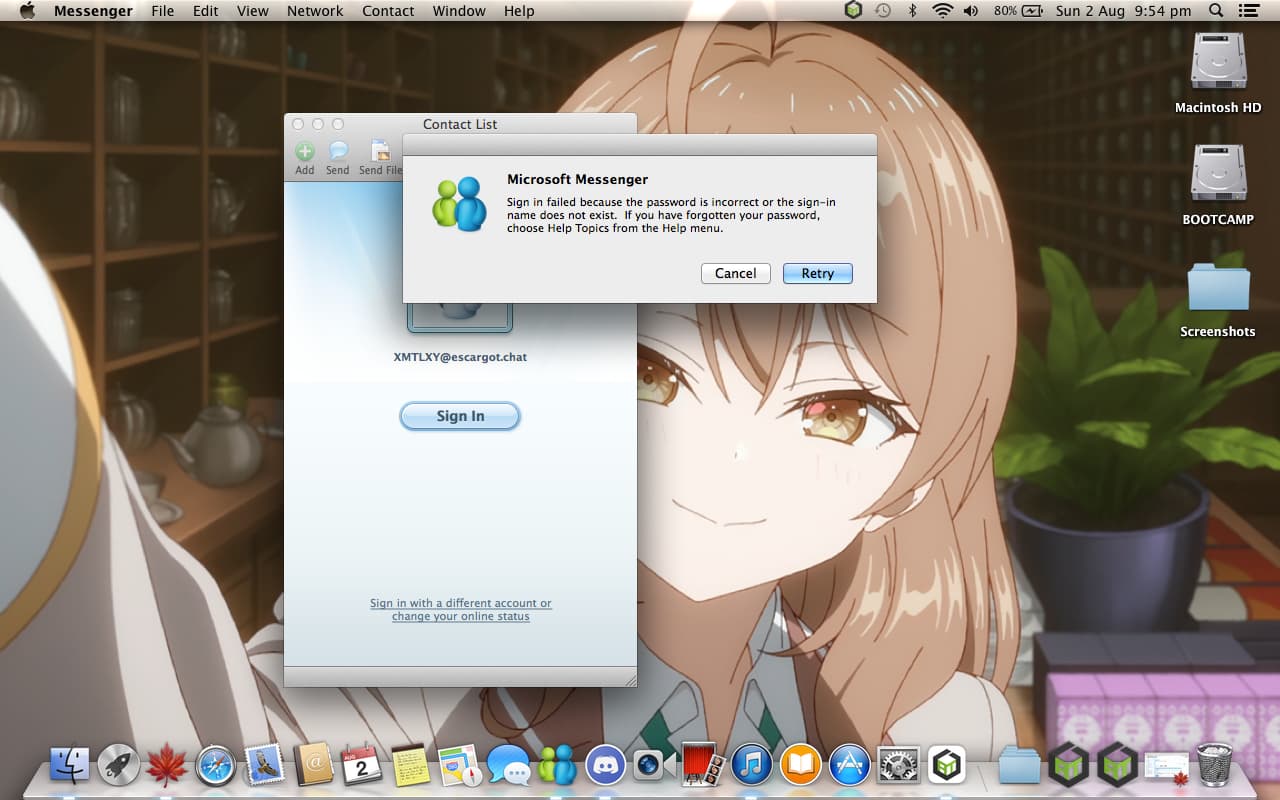
Hiya, I tested this on OS X Mavericks (10.9) and it worked fine altho I ended up having to reinstall OS X Clean as I had done a HDD to SSD Upgrade and now for some reason when I Install MSN Messenger and then patch using the Tool you sent it does not work (Error is on attached Photo) My only thinking is I originally used this Version of MSN Messenger → https://www.macintoshrepository.org/download.php?id=56668 and now I am using this → https://www.macintoshrepository.org/download.php?id=30416 but I thought they were same version, anyways I am not too sure what the Issue is and was wondering if anyone could help me get this working as I am very active on Escargot.chat and really dont want to have to be dependent on Windows for it (And no I am not using Crossover). Cheers! (Edit: I am on Version 8.0.0 (100825) if that Helps)
1 Like
Did you end up getting this working and on what OS? Because I did have it working on Mavericks (10.9) other day but I ended up doing clean Install of Mavericks (10.9) due to SSD Upgrade and it now fails to connect.. If you know how u did it / if it worked pleaseee lmk as I really want to use this on OS X, Thank You!
sadly it wouldnt work for some reason  it just wouldnt work. forgot to edit my post, my apologies
Aw man, I am confused however as it worked when I first tried it but after I had to reinstall OS X it wouldn’t, I might try put the HDD back in again or something and see if it works then but Thanks for letting me know, lmk if u someone else ever gets it working tho! Thanks!
If you REALLY want to use it then if you’re financially stable you could buy converter cables, hook the drives into a laptop, and copy over all of the files. I’ve seen someone do it before. Also make sure to look for programs that make stuff run like idk .net framework or smth when you hook up your HDD, i don’t really use macs so im not really familiar with it  Hope this helps!
Oh also, Crosstalk is actually working to support WLM for Mac and you can see the progress on their blog so you could try and contact one of the admins from the IRC
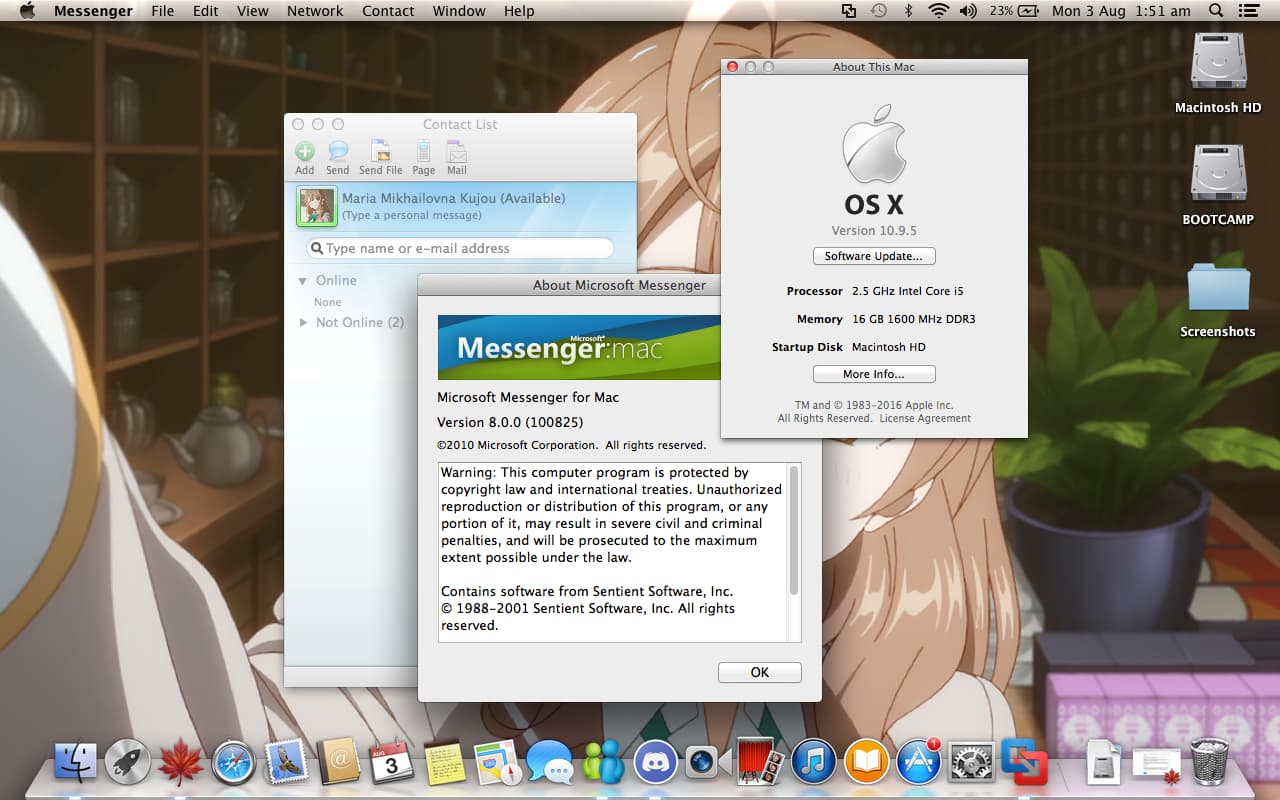
Update on the whole issue, I have resolved it so I ended up making a clean VM of Mavericks (10.9) and Installing Microsoft Messenger: Mac Version 8.0.0 and then using the NINA & Escargot Patcher and it all logged on fine, so then I went to Mavericks Forever (What I have been using for my OS X Setup) and Installed Aqua Proxy, after Installing that MSN refused to logon with the Error however whenever when I disabled the Aqua Proxy it would start working again, I ended up sending Claude the NINA & Escargot Patcher and said that the Aqua Proxy was breaking MSN from logging on and find the Hosts / Domains inside of the Escargot Patcher so find those Escargot / NINA Proxies or Domanies and list them for the Bypass Proxy Settings for these Hosts & Domains inside of the Mac Network Proxy Options, after a couple of Minutes Claude had found a Solution and after testing it finally worked fine! Here is an Explanation of the Issue and how to fix it (From Claude):
Normally: Messenger connects straight to ds.escargot.nina.chat to log in. The server shows its ID card, your Mac checks it, login works.
With the proxy on: Your settings send all HTTPS through 127.0.0.1:6531. So the proxy intercepts the login, and has to show Messenger its own ID card instead of the real one. Messenger sees the wrong ID and refuses. Login fails.
With the bypass: You tell your Mac “skip the proxy for these addresses.” Messenger goes direct again, sees the real ID card, login works — and everything else on your Mac still uses the proxy like before.
The fix
System Preferences → Network → your connection → Advanced → Proxies → Bypass proxy settings for these Hosts & Domains. Add these
*.nina.chat, nina.chat, *.nina.bz, nina.bz, *.escargot.chat, escargot.chatto whatever’s already there
Edit: I hope this helps for any of y’all out there!
1 Like
Maybe server url is outdated… but i dont know honestly, as because i cant emulate OSX now, ryzen cpu is not letting me do that.