sup guys, i made this project called crosstalkpatcher for the manual patching clients (see the clients that need patching on the website. ) that auto patched them. it uses .NET Framework 4.6.1 (legacy, windows vista sp2 through windows 10 / server equivalents), .NET 6 (self-contained, windows 7 sp1 (with updates) through windows 11 depending on platform support), and .NET 8 (self-contained, windows 10 or later).
it walks you through a menu and does this for each client for you:
MSN Messenger. (<4.7.2009): the patching guide says set the Server string under HKCU\Software\Microsoft\MessengerService to ms.msgrsvcs.ctsrv.gay in regedit (or merge a .reg file). the tool does the exact same registry write directly.
MSN/Windows Messenger 4.7.2009-3001: guide has you hex edit the exe with HxD, swapping the old hotmail url to ms.msgrsvcs.ctsrv.gay and the old nexus passport url to pp.login.ugnet.gay (gateway string optional), then update the registry Server key if it exists. tool does the identical byte replacements automatically (plus makes a .bak backup first incase of a bug.). same optional gateway prompt, and only touches the registry key if it’s already there.
MSN Messenger 5+ / Windows Live Messenger / Yahoo Messenger: guide has you manually download reroute.dll + the sample ini, drop the dll in the right install folder, open the exe in Stud_PE as admin, add a new import pointing at reroute.dll’s ImportMe function, save, then rename/edit the ini and set type on line 12. tool automates every step using python library LIEF: downloads both files itself, drops them in the correct folder per client you select, patches the same ImportMe import via LIEF, and finds/rewrites the type line automatically instead of you hand-editing line 12.
Yahoo 5/6 legacy (XP SP1 or older): guide sets Conn Server, socket server, and Host Name under HKCU\Software\Yahoo\Pager. tool sets those exact three keys.
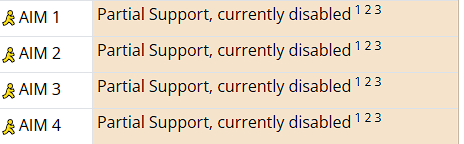
AIM/OSCAR: it is there in the menu but it doesnt do anything because it is currently disabled on crosstalk
it also includes other small features.
Quick Links: includes options to jump straight to crosstalk’s IRC community or the main crosstalk.im site, opens in your default browser automatically, falls back to just printing the link if it cant launch one.
TLS Enforcement: forces this on startup since old windows/.NET defaults to TLS 1.0, which github and crosstalk’s servers (i think) won’t accept anymore.
Python installer: only kicks in for the reroute option, itll detect if python’s missing, silently install the right minor version for your os.
Auto Updater: Phone calls Github (our repo releases) on every launch, and if theres a newer version itll offer to auto-download the matching build for your runtime/arch, swap the exe out, and relaunch itself.
Client Downloader: option 8 gives you shortcuts to grab WLM/MSN clients (pre-patched or unpatched) and unpatched Yahoo clients straight from crosstalk.
Admin Detector: Admin is required for most things in the patcher. so itll detect if you ran the exe as admin or not.
check it out at our github repo and download the releases at Releases · meowgoober/crosstalkpatcher · GitHub and if you want to you can contribute to the project 
You can join our community at our discord server. https://discord.gg/dnfGVjJ8r3
Thank you and have fun with this thing i made!