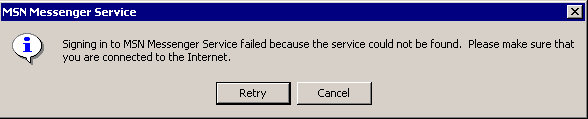
Problem description: Cannot login
Error code/error message: 80048823
What has been tried so far: Installing other versions (MSN 7.5 and others)
Messenger version: WLM 8.1
Windows version: Windows 11 25H2 (Home)
NOTE:I put in my info correct
Problem description: Cannot login
Error code/error message: 80048823
What has been tried so far: Installing other versions (MSN 7.5 and others)
Messenger version: WLM 8.1
Windows version: Windows 11 25H2 (Home)
NOTE:I put in my info correct
25H2? WLM may be broken in 25H2
nah it opens but it doesnt let me log in
Weird…
yeah ik
i tried it on a old VAIO with tiny11 23H2 and it worked fine and a dell inspiron 5558 with win 10 22H2
Have you tried using the 24H2 patch?
would 24H2 patch work on 25H2? ima try
ran it twice and didnt work
Maybe try in a older Windows VM?
You used the patcher came with the zip?
Messenger servers tend to not exist. Not return HTTP 405.
Install windows XP (use either virtualbox or vmware) and try to sign in there.
What server are you exactly connecting to?, because it seems like you are trying to connect to either a defunct domain (if you are a pre-2023 escargot user) or intentionally write the worst login server known to man (One that doesn’t support RST.srf POSTs)
Anyway if you want your HRESULT descriptor that I steal from my own wiki here’s the one i just wrote:
HRESULT value |
HRESULT’s name |
Description / Known reason? |
|---|---|---|
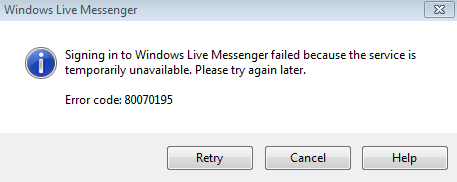
0x80070195 |
System Error HTTP_STATUS_METHOD_NOT_ALLOWED |
The remote HTTP server returned the “405 Method Not Allowed” status. (If you see this, the server you are connecting to is written badly. Or is not a login server.) |
Hmm, my one is 80040154
HRESULT 0x80040154 (REGDB_E_CLASSNOTREG): “Class Not Registered”.
Thinking some things weren’t installed properly the last time you used Messenger if you get that one.
I mean wlm 2012 works on windows 8.1, but not on host where i have to use 2009, and also, do you know how to solve that issue?
Nevermind, solved this issue, now i can sign in